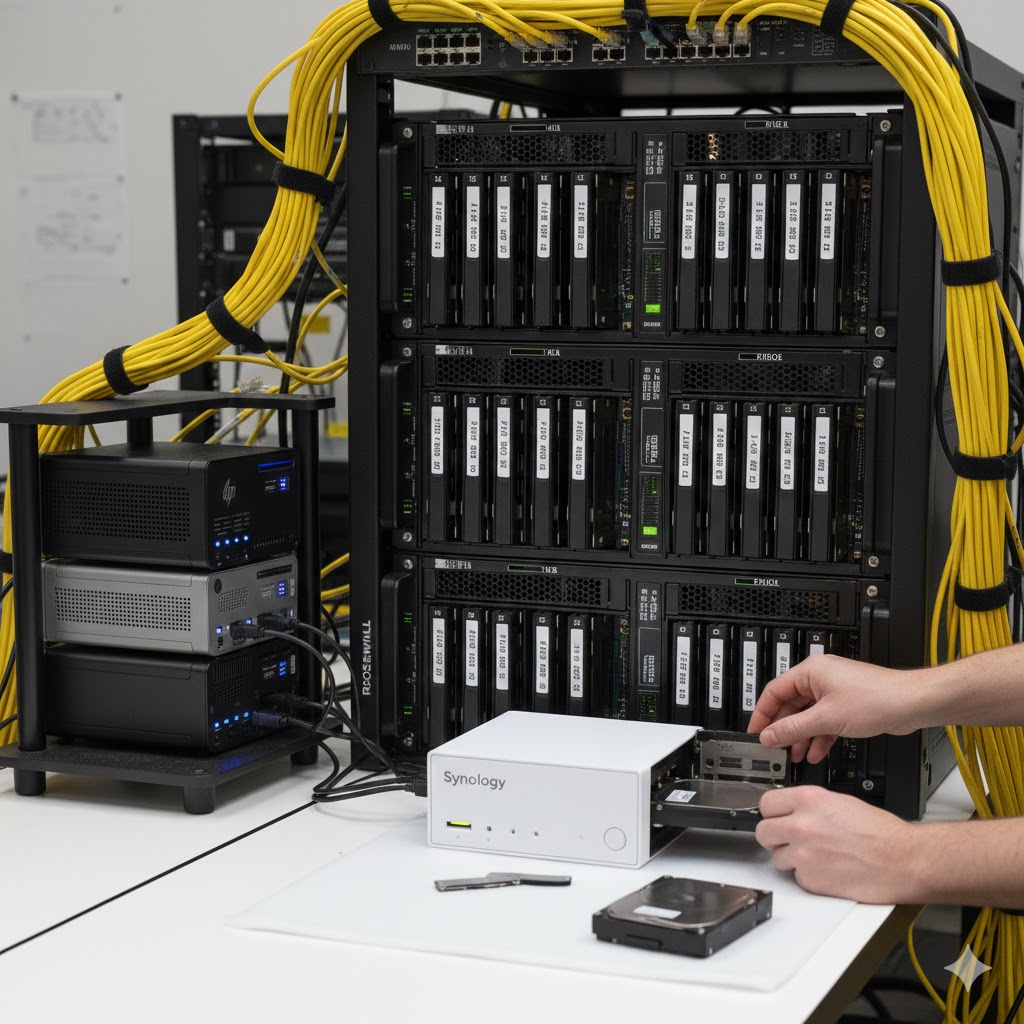
If you’ve been following the madness here at DabbleDen, you know I’ve been on a bit of a mission to tame the “Frankenstein’s Monster” of servers living in my rack.
In my last post, I talked about breathing new life into a 12-drive bay chassis using Proxmox, MergerFS, and SnapRAID. It was the perfect “budget” solution to make use of a pile of mismatched spinning disks I had lying around. But, as any tinkerer knows, once you solve one problem, you usually stumble right into three more.
What’s more, Synology has teased going proprietary, and I hate the enshittification of large tech companies screwing over the userbase for more profits. We’ve already seen it with social media sites, AI, Windows “Copilot” spying, even Bambu Lab went cloud-based and ignored the users opinion on that. So, I’m ditching Synology before it’s too late and they become my own ransomware.
So, I backed up my Synology, took everything that was on it and backed it up to my MergerFS, and used that as a hop to set up a custom dedicated file server using TrueNAS. Yes, more proprietary OS’s, but, at least I’ll have two!
The “Permissions” Wall & The Proxmox Conundrum
While Proxmox is amazing for virtualization, trying to use it as a primary NAS with that MergerFS/SnapRAID combo started becoming a bit of a nightmare. My thinking process went something like this: “Great, I’ve got all this storage. Let’s run everything on it!” And for a while, it worked. Until it didn’t.
- User/Group ID Chaos: Managing permissions across different LXC containers, VMs, and network shares for various users was a constant battle. A container expecting UID 1000 would clash with a share expecting UID 1000, and suddenly, my Docker containers couldn’t write to their own data volumes. To make this happen and still use the container the way I wanted couldn’t happen. I’d have to poke security holes where they didn’t belong to give the container permissions to the host, which isn’t good when exposing Jellyfin and other stuff to the web to access from anywhere on my travels.
- Backup Anxiety: Then came the backup anxiety—trying to reliably back up mission-critical containers and VMs while the underlying MergerFS/SnapRAID storage pool was doing its parity dance felt like playing Jenga during an earthquake. Was SnapRAID going to be able to rebuild if a drive died mid-backup? Would my Proxmox backups be consistent? The uncertainty was a constant hum in the background.
- Performance Bottlenecks: And let’s not forget speed. Spinning disks are great for bulk storage, but running a database, a code repository, or even just heavy file transfers felt sluggish. The “snappiness” I craved for daily tasks just wasn’t there.
I realized I was spending more time managing the “house” than actually living in it. The dream of a unified, everything-on-one-box solution was collapsing under its own weight of complexity.
The Pivot: Speed & Simplicity with TrueNAS
So, I’ve decided to shift gears. I took a second 12-drive bay case and built out a dedicated TrueNAS Scale setup. Here’s the new plan:
- The Powerhouse: Six 4TB SSDs for primary storage. The thought process here was simple: eliminate the slowest link in the chain. No more waiting for platters to spin up. This is for anything that needs to feel instantaneous.
- The “Junk Drawer” (Extra Expandability): Since the case has 12 bays, I threw in a few 1TB drives I had sitting around for extra scratch space or dedicated small datasets. It’s about utilizing what I have without compromising the main pool.
- The Purpose: This TrueNAS box is now my “Daily Driver.” It handles the daily file shares, the important servers, and anything that needs to feel snappy. The transition from a proprietary Synology NAS to a custom-built TrueNAS was a big mental leap. I loved the Synology’s simplicity, but its hardware limitations and upgrade paths were restrictive. Moving the drives into a standard server chassis offers unparalleled flexibility.
TrueNAS has been a breath of fresh air for permission management. It makes sharing files across the home network actually make sense, and the “click-install” app ecosystem is a nice luxury compared to manual command-line wrestling.
Relegating the Old Guard
So, what happened to the Proxmox box with all the mismatched drives?
It’s still there, and it still uses MergerFS and SnapRAID, but I’ve changed its job description. It’s now the Media Server. Movies and TV shows don’t need SSD speeds or complex permissions; they just need space. This setup lets the big spinning disks do what they’re good at without dragging down the performance of my actual workspace. This split allows both systems to excel at their specific tasks.
The “Lab” is for Breaking
The best part? This consolidation means my mini-PC stack is finally free. Instead of trusting useful, “must-work” apps to old hardware that could die at any moment, I can use those mini-PCs (think HP Elitedesks and Lenovo ThinkCentres) for actual home-lab stuff—experimenting with clusters, playing with new container orchestration tools, and things I want to break without fear of taking down my daily operations. It’s about creating a safe sandbox for true experimentation.
Conclusion: Embracing Simplicity Through Specialization
The Lesson: This setup actually reduces my redundancy in some spots, but it massively reduces the complexity. Migrating from a proprietary Synology environment, where hardware upgrades are limited, and from a convoluted MergerFS/SnapRAID Proxmox setup, which offered great flexibility but at the cost of significant management overhead, has brought immense benefits:
- Reduced Management Overhead: No more fighting with UIDs/GIDs or wondering if my backups are valid. TrueNAS handles permissions elegantly, and ZFS offers robust data integrity.
- Performance Where It Matters: SSDs for daily use means instant access and snappy application performance.
- Scalability and Flexibility: A custom server chassis means I can upgrade components as needed, not just when the manufacturer dictates.
- Clearer Purpose: Each server now has a well-defined role, making troubleshooting and maintenance much simpler.
- True Experimentation: My mini-PC lab is now genuinely for “lab” work, not for production services I’m terrified of breaking.
When I eventually move to 2.5Gb or 10Gb networking, or when I need to perform maintenance, I’m not digging through five different layers of configuration. Instead of buying five new drives to expand five different machines just to keep things afloat, I just… don’t. I focus on the one box that matters.
It’s about making the hobby fun again instead of a second job. Stay tuned—I’m sure I’ll find something else to tear apart by next week!
Leave a Reply